
Meta Title: App Store SEO Explained: The Complete App Store Optimization Guide (2026) Meta Description: Learn what app store optimization is, how App Store SEO actually works, and the steps you need to rank higher in the Apple App Store and Google Play.
If you’ve built a mobile app, you already know the hard truth: a great app that nobody can find is a great app that nobody downloads. That’s where App Store SEO — more commonly known as App Store Optimization (ASO) — comes in.
In this guide, we’ll break down what app store optimization actually is, how it’s different from regular website SEO, and the core steps you need to follow to get your app ranking higher in the Apple App Store and Google Play.
What Is App Store Optimization?
App Store Optimization is the process of improving your app’s visibility inside app store search results and category listings, with the goal of driving more organic downloads. Just like traditional SEO helps a website rank on Google, ASO helps your app rank when someone searches for a term like “budgeting app” or “photo editor” inside the App Store or Google Play.
The idea is simple: the higher your app ranks for relevant searches, the more people discover it without you having to pay for ads.
How Does App Store SEO Work?
Unlike website SEO, app store algorithms don’t rely on backlinks or long-form content. Instead, they look at a specific set of signals tied to your app’s listing and performance. Here’s what typically influences your ranking:
- Metadata — your app title, subtitle, and keyword field (iOS) or description (Android)
- Download velocity — how quickly your app is gaining new installs compared to competitors
- Ratings and reviews — both the quantity and how recent they are
- User engagement — retention, session length, and in-app activity
- Conversion rate — how often someone who views your listing actually installs it
It’s worth understanding that iOS and Android handle this differently. Apple relies heavily on a hidden keyword field along with your app’s visuals, while Google Play indexes your entire description and pays close attention to keyword placement and density.
Why App Store SEO Matters
Most people don’t scroll through pages of app store results — they search for what they need and pick from the first few options. If your app isn’t optimized for the right search terms, you’re invisible to a huge chunk of potential users, no matter how well-built the app is.
The other advantage is cost. Paid app install campaigns can get expensive fast, especially in competitive categories. A well-optimized listing keeps generating downloads for free, long after you’ve stopped actively working on it.
Steps to Optimize Your App Store Listing
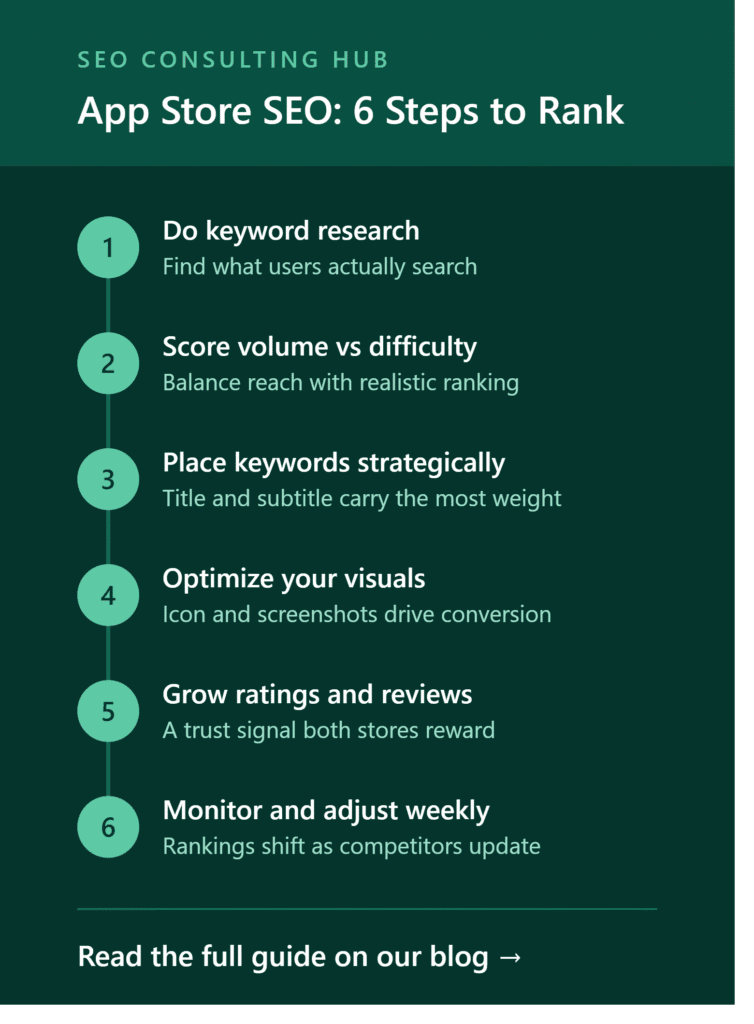
1. Start With Keyword Research
Before touching your listing, build a list of seed keywords — simple terms that describe what your app does or the problem it solves. Expand this list using autocomplete suggestions directly inside the App Store or Google Play search bar, since these reflect real user search behavior.
2. Evaluate Each Keyword on Three Factors
Not every keyword is worth targeting. For each one, weigh:
- Search volume — how many people are actually searching for it
- Difficulty — how competitive it is to rank for
- Relevance — how closely it matches what your app does
Aim for a mix: a few high-volume terms for reach, and several long-tail, lower-competition terms that bring in highly specific, high-intent users.
3. Place Keywords Strategically
Put your strongest keywords in your title and subtitle — these carry the most ranking weight. Secondary keywords belong in Apple’s keyword field or, for Google Play, naturally woven into your description.
4. Optimize Your Visuals
Your icon, screenshots, and preview video directly affect your conversion rate — meaning how many people who see your listing actually install the app. Even a top-ranking keyword won’t help much if your visuals don’t convince someone to tap “install.”
5. Encourage Ratings and Reviews
Both stores treat reviews as a trust and quality signal. Apps with more (and more recent) positive reviews tend to rank better and convert higher, since new users see them as more credible.
6. Monitor and Adjust Regularly
ASO isn’t a one-time task. Competitors update their listings, algorithms shift, and seasonal trends affect what people search for. Revisit your keyword strategy every few weeks, checking which terms are driving impressions versus actual installs.
App Store SEO vs Website SEO: The Key Difference
The biggest distinction is transparency. With website SEO, tools like Google Search Console give you fairly clear data on rankings and traffic. App stores don’t offer this — Apple only provides a relative “popularity” score, and Google Play gives no native keyword volume data at all. This makes ASO more of an ongoing, data-informed process rather than something you can measure with total precision.
Final Thoughts
App Store SEO is one of the most cost-effective ways to grow app downloads sustainably, but it takes a structured approach — the right keywords, in the right places, backed by strong visuals and consistent monitoring. If your app isn’t ranking for the searches that matter, the fixes are usually more straightforward than you’d expect.
Need help auditing your app’s current listing or building out a full ASO keyword strategy? Get in touch with our team for a free consultation.
Leave a Reply